

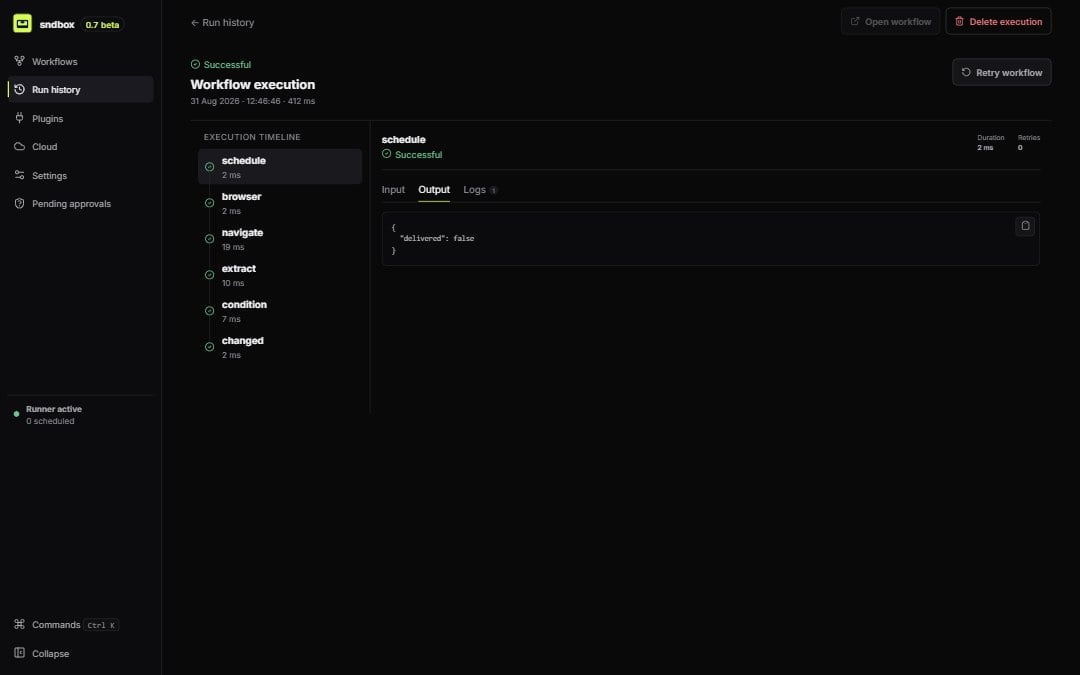
The execution inspector preserves evidence for every node in the run
Read the timeline
Select a node in the execution timeline to see:- resolved input and returned output;
- start, completion, and duration;
- structured logs and retry count;
- error code, summary, detail, and suggested action;
- branch followed or reason the node was skipped; and
- browser locator attempts, console errors, failed requests, current URL, and screenshot/trace paths when present.
Failure does not erase evidence
Completed node records remain available when a later node fails. Use Retry failed node when the inspector offers it, or retry the execution. A browser failure may also offer a headed retry or re-recording path so you can see the real page state.Workflow revision matters
An execution storesworkflowVersion; a later edit does not change old evidence. Restoring a historical workflow creates a new revision rather than mutating the executed definition.
Desktop execution shape