

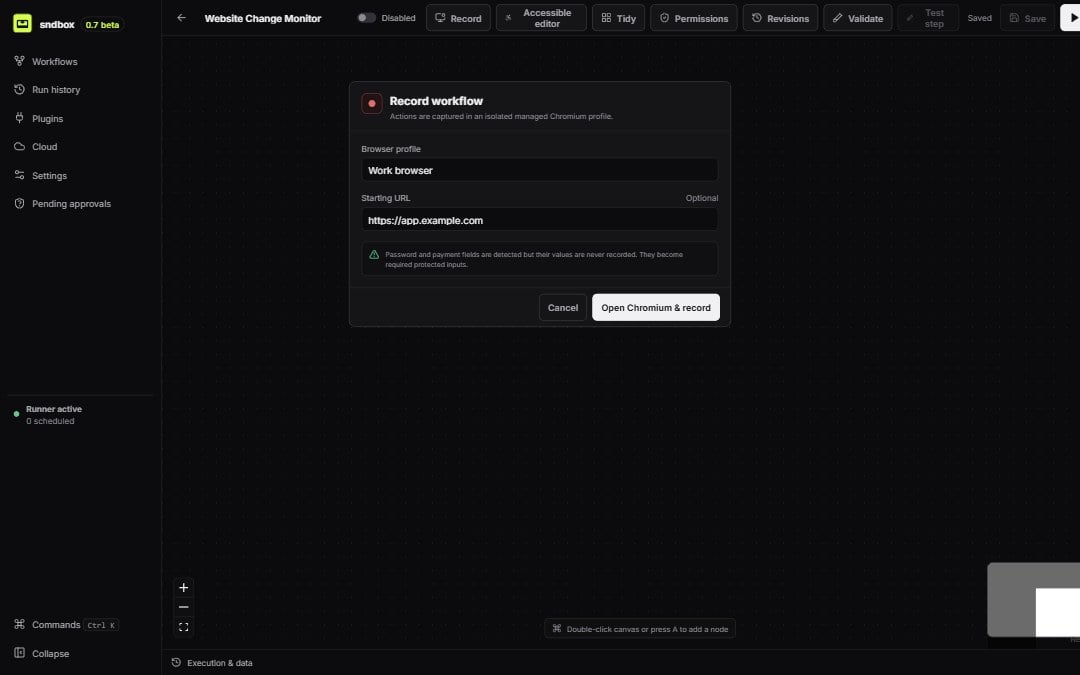
Recorder setup uses an isolated managed Chromium profile
1
Start from the editor
Choose Record browser. Select an existing managed profile and enter the initial URL for the recording session.
2
Perform the routine
Navigate, click, fill, select, and trigger downloads in the managed Chromium window. The sidecar records supported page events and structured locator candidates.
3
Stop and review
Return to sndbox and stop recording. The review screen lists captured steps before they alter the workflow.
4
Clean the sequence
Rename, reorder, remove, or combine input events. Mark inputs that must be supplied through a protected value instead of storing what was typed.
5
Add editable nodes
Accept the review. sndbox adds browser nodes and control edges to the current workflow; use the regular inspector to test locators and finish configuration.
What recording preserves
A captured locator can include a primary candidate, fallback candidates, accessible role and name, tag, stable attributes, recording URL, nearby text, and frame path. The current recorder records against the active main page and leavesframePath empty.